

Need real-time alerts for your dynamic IP changes or remote access notifications? A Telegram bot is a free and efficient way to get instant updates. In this guide, we'll walk you through creating a Telegram bot and integrating it with SyncMyIP for automatic IP change notifications.
Why Use a Telegram Bot for Notifications?
Dynamic IP addresses can change without notice, making remote access tricky. Traditional email alerts often end up in spam folders or delayed. Telegram bots offer a fast, reliable, and free alternative for receiving real-time notifications directly on your mobile device or desktop.
Step 1: Create Your Telegram Bot
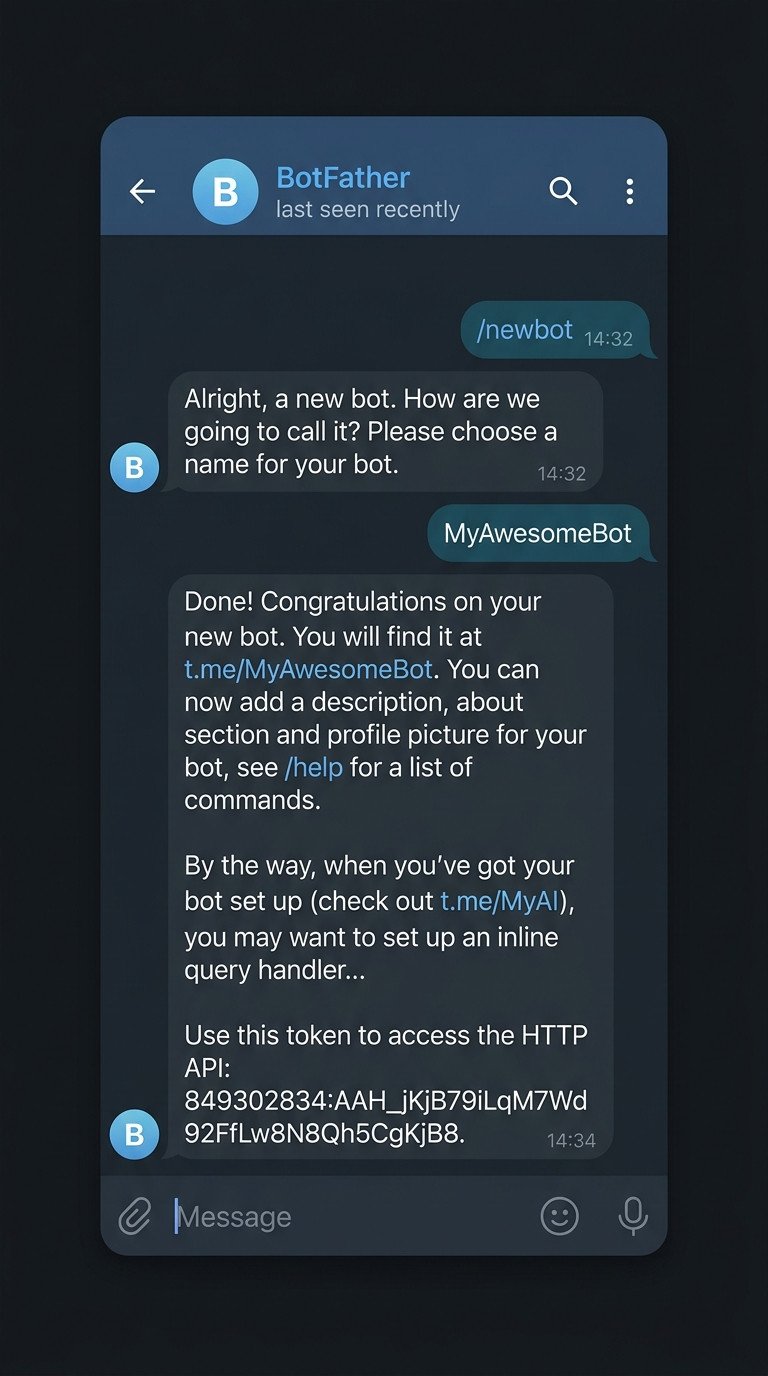
To begin, open Telegram and search for @BotFather, the official bot creation tool. Start a chat and send the command /newbot.
Follow the prompts to:
- Set a name for your bot (e.g., "MyIPNotifier")
- Set a unique username ending in "bot" (e.g., "myipnotifier_bot")
Once completed, BotFather will provide you with an HTTP API Access Token. Keep this token secure — it’s your bot’s password.
Step 2: Get Your Chat ID
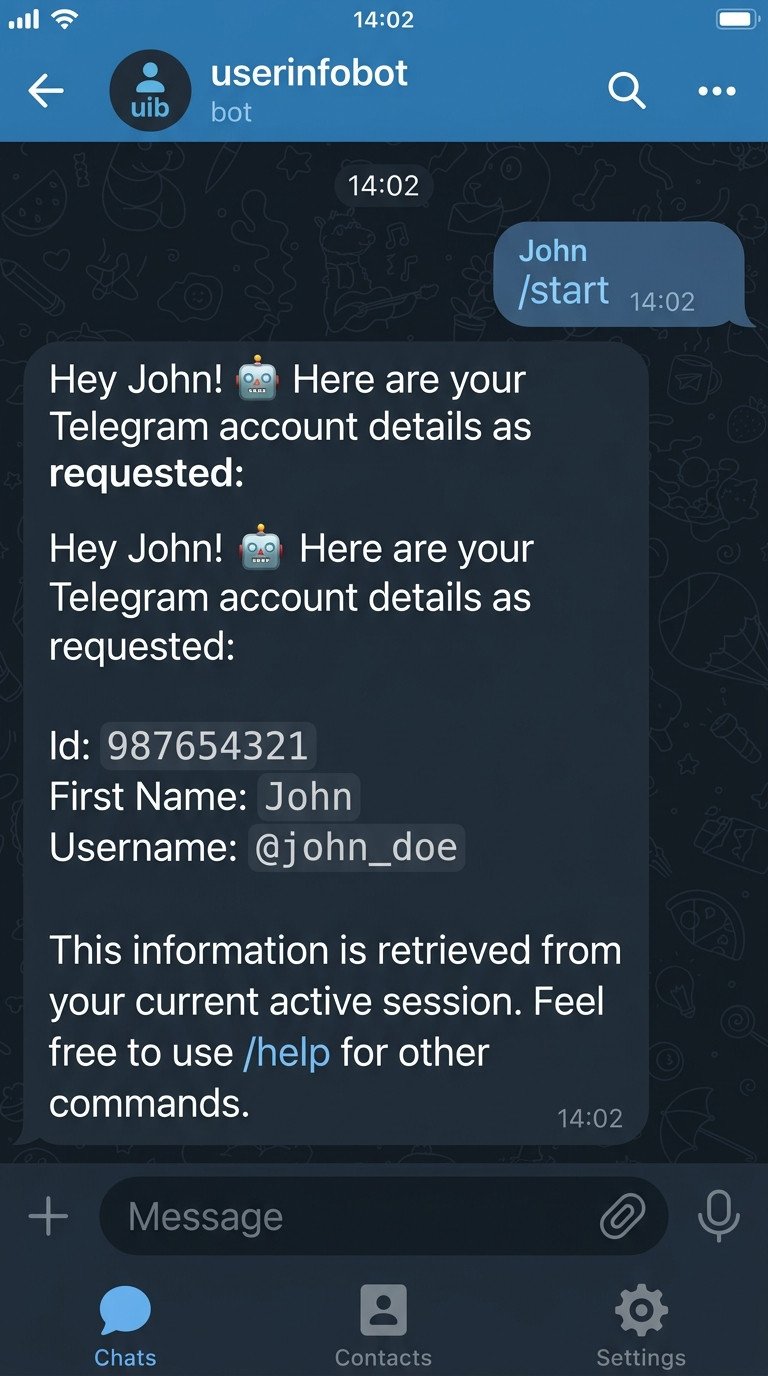
To receive messages from your bot, you need your unique Chat ID. Search for and start a chat with @userinfobot on Telegram. Send any message and it will reply with your user info, including your ID.
Step 3: Configure Notifications in SyncMyIP
Now that you have your bot token and Chat ID, open SyncMyIP on your Windows machine:
- Go to Settings
- Enable Telegram Notifications
- Enter your Bot Token and Chat ID
- Save and test the connection
SyncMyIP will now send a message to your Telegram bot every time your IP address changes, giving you real-time updates without delay.
Conclusion
Creating a Telegram bot for notifications is simple and powerful. Whether you're monitoring dynamic IPs or setting up alerts for remote systems, Telegram bots offer a free, fast, and reliable solution. Try it today with SyncMyIP and never miss an IP update again!